

Three kinds of connection
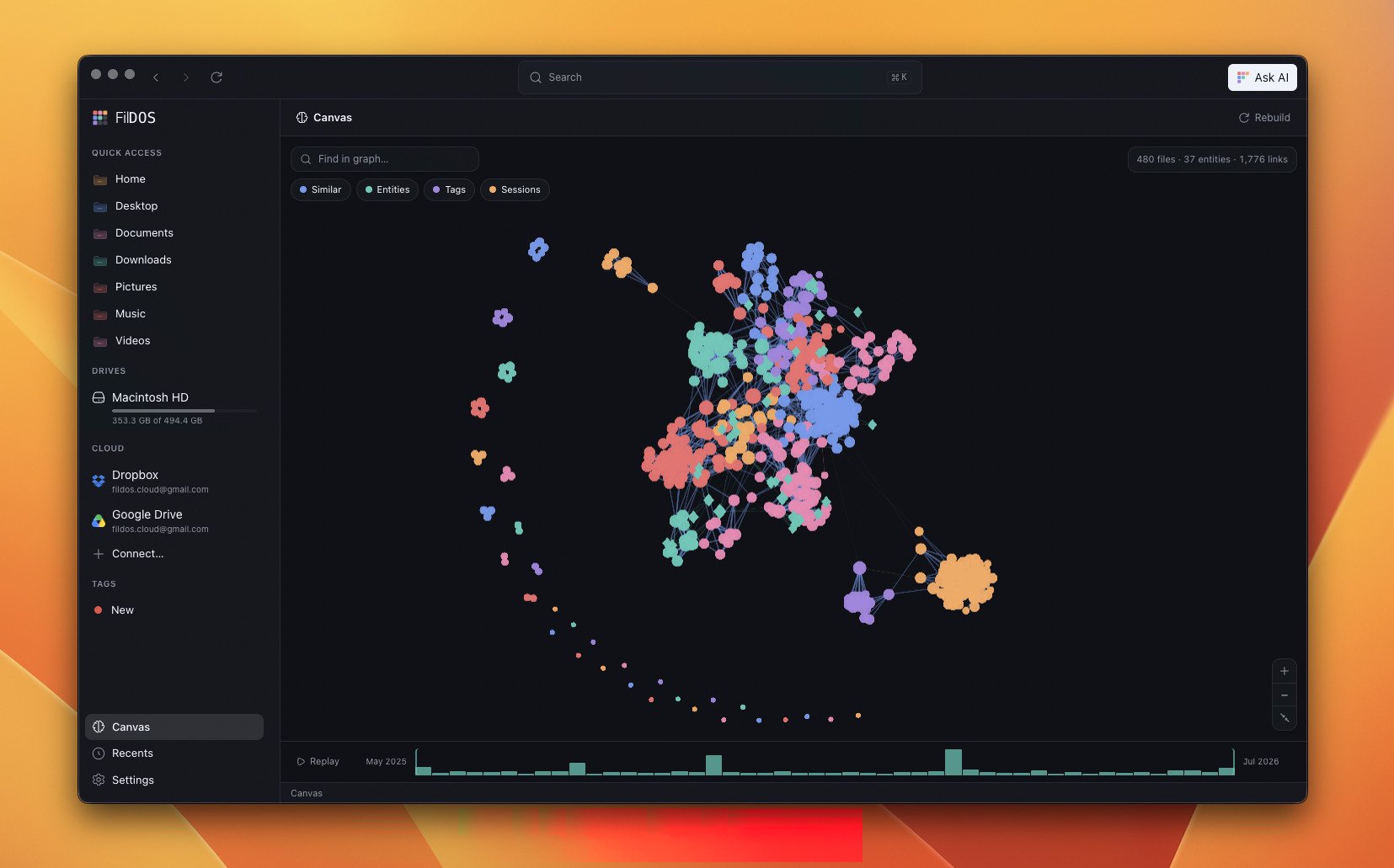
Canvas fuses three signals into one graph. Toggle each with the chips at the top:- Similar — files whose embeddings are close in meaning (per-file centroids of their stored chunk vectors, compared with a partitioned k-nearest-neighbour search).
- Entities — people, places, and organizations pulled from your documents by an on-device NER model, shown as mint diamonds.
- Tags — your colour-coded tags become star nodes.
- Sessions — files you worked on around the same time, derived from modification times.
Exploring the graph
- Find in graph — search to spotlight matching nodes.
- Detail panel — click a node to see why it’s connected to its neighbours.
- Time scrubber — an mtime histogram at the bottom lets you replay how your files accumulated over time.
Built lazily, kept fresh
Canvas does no work until you open it. After that it’s incremental: only changed files are recomputed, and the whole build runs under the same duty-cycle as the indexer, so it never fights your foreground work.The NER model that powers Entities is opt-in and never
auto-downloaded — Canvas works without it. Enable it and rebuild from
Settings → AI & Search → Canvas.