

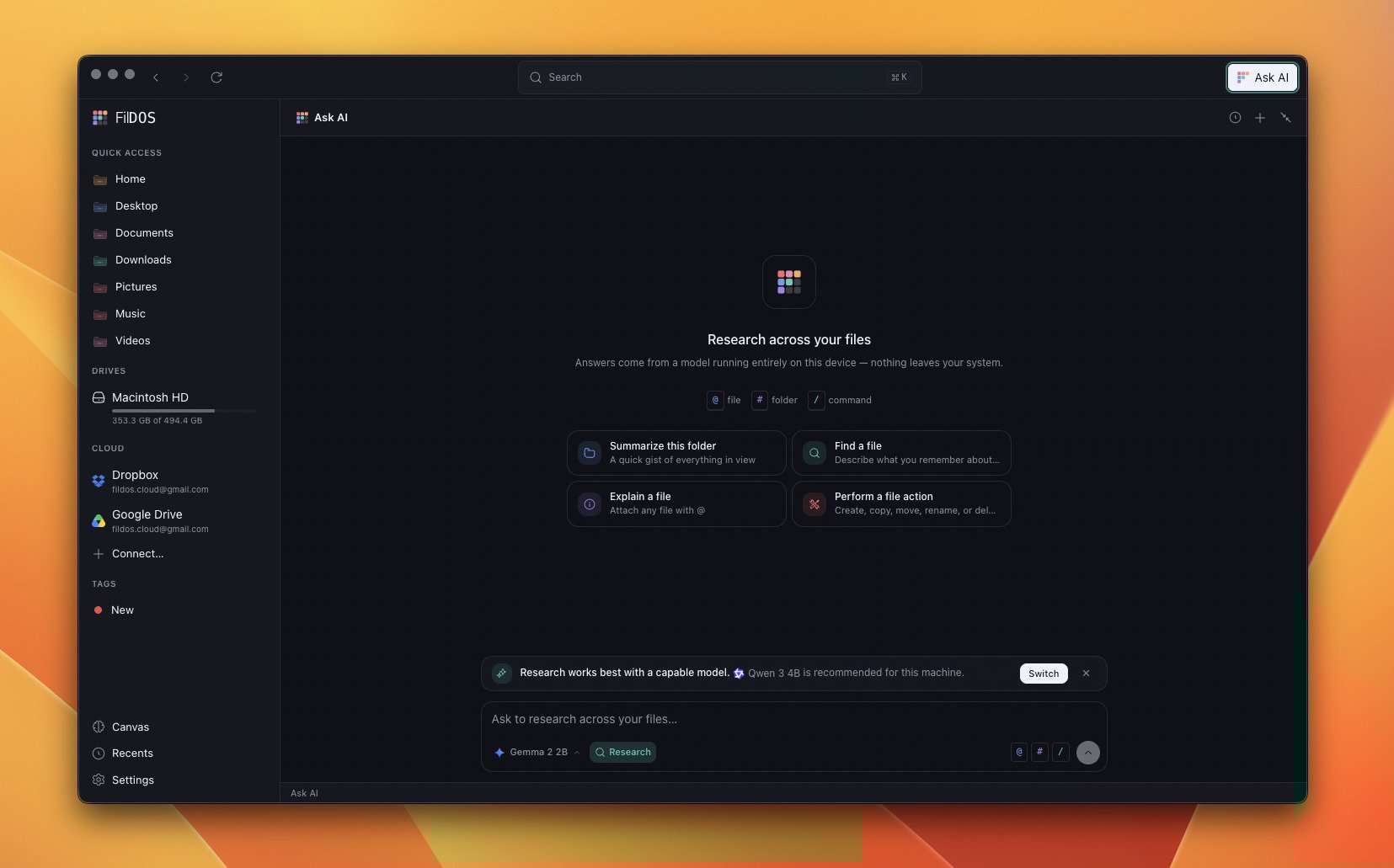
Mentions and commands
The composer understands three kinds of reference:| Trigger | What it does |
|---|---|
@file | Attach a file’s contents to the conversation |
#folder | Bring a folder’s listing into context |
/command | Run a built-in command — e.g. /find runs a semantic search and hands the hits to the model |
Acting on your files
Beyond answering questions, the assistant can do things — create, copy, move, rename, list, read, and delete-to-Trash — through function calling. Every action is:- Recoverable — deletes go to the OS Trash; creations and copies never overwrite.
- Visible — each call streams to the panel as an activity chip and is saved with the message.
- Yours to approve — file-changing actions happen with your consent.
Bring your own model
FilDOS ships a built-in catalog spanning 0.6B to 35B parameters, grouped by family — Llama, Qwen, Gemma, Phi, Mistral, SmolLM, DeepSeek, Granite, and more. Every model runs on your own hardware vianode-llama-cpp (Metal on Apple
Silicon).
- One model stays resident; switching disposes the old one.
- A device probe recommends the best-fitting model for your machine.
- A per-model customize panel tunes temperature, top-p, max tokens, context window, and custom instructions.
- You can also add any GGUF from the internet — paste
hf:owner/repo,owner/repo, or a direct.ggufURL.
Conversations are saved
Every exchange — including the files you mentioned and the sources a/find
pulled in — is persisted locally, so you can reopen a conversation from the
history view and continue it later.
The assistant respects Hide from AI: anything you’ve excluded from indexing
is invisible to chat as well.