

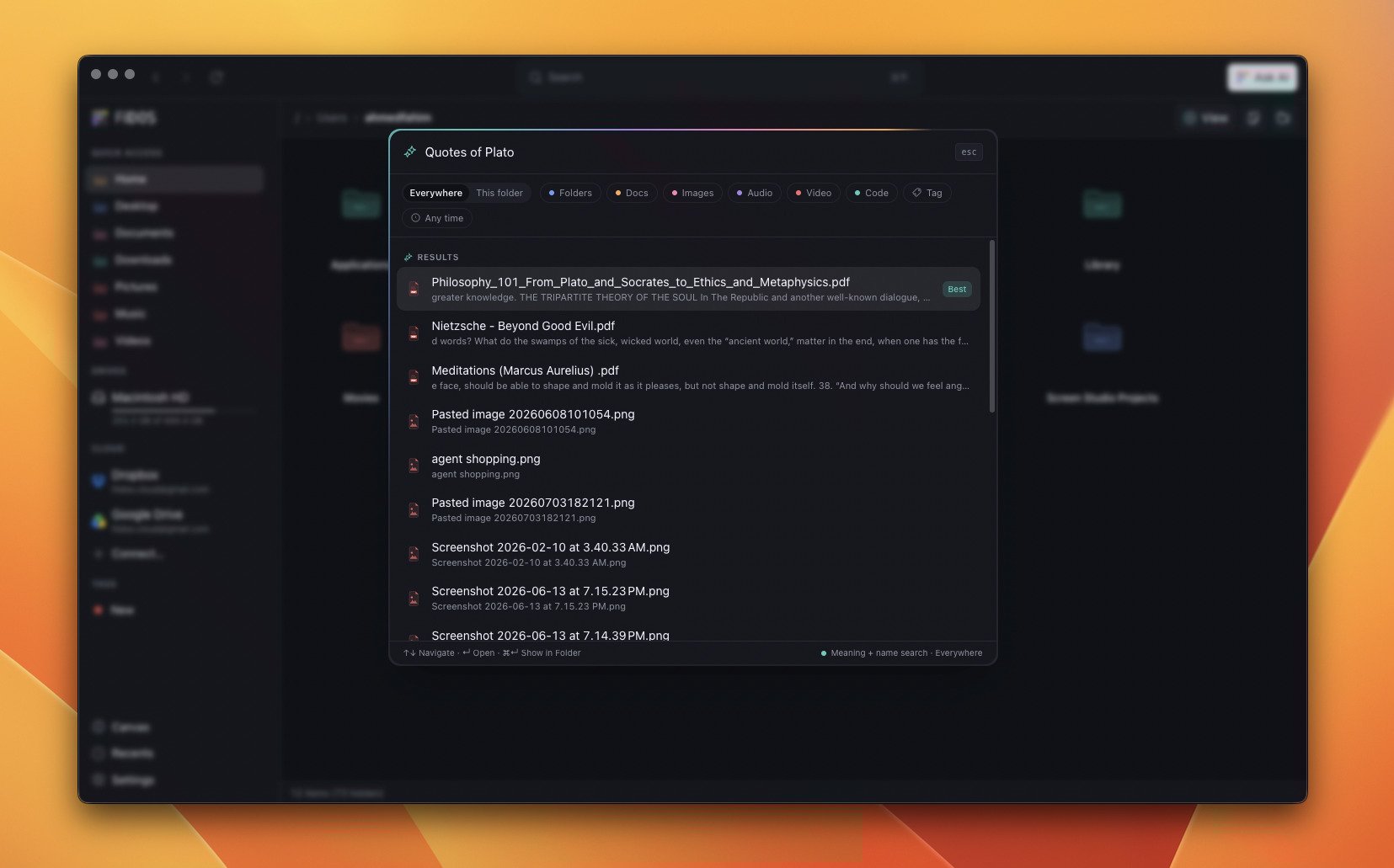
Meaning and name search, fused into one ranked result list.
How search works
Hit⌘ K and type a natural-language query. FilDOS runs a hybrid search and
returns a single fused list — never separate “semantic” and “name” sections:
- Vector retrieval finds chunks whose meaning matches your query.
- BM25 keyword retrieval finds exact term and filename matches.
- The two lanes are fused with Reciprocal Rank Fusion — filename evidence anchors the rank, the semantic score is discounted against it, and a file that scores in both lanes gets a bump.
- The top candidates are reranked by an on-device cross-encoder for the final ordering, and the strongest hit is badged Best.
The indexing pipeline

Files are extracted, chunked, embedded, and stored as vectors — all locally.
1
Extract
Text is pulled from plain text, code, Markdown, CSV, JSON, and similar files.
PDFs stream through a byte-range transport (book-size files extract with
bounded memory), and DOCX is parsed too. Files that can’t be extracted still
get a filename-fallback chunk so name queries find them.
2
Chunk
Long documents are split into ~512-token windows so context isn’t lost at
boundaries.
3
Embed
Each chunk is passed through the active model — running on WASM — to produce a
vector. Images are embedded with CLIP into the same space as text, so a
text query can match a photo.
4
Store
Vectors are stored as Float32 BLOBs in SQLite and searched with brute-force
cosine similarity over an in-memory cache — plenty fast for a personal-scale
index.
Choosing a model
Open Settings → AI & Search to pick an embedding model and download it. Models are cached inuserData/models and loaded once per session.
An optional cross-encoder reranker further sharpens results; like the Canvas NER
model, it’s opt-in and never auto-downloaded.
The background indexer
The indexer crawls your configured roots (your home directory by default) in the background. It’s designed to stay out of your way:- Cost-classed queue — removals and text first, images next, PDF/DOCX last — so a fresh index is useful in minutes.
- Duty-cycled around your activity: near full speed when you’re away, gentler while you’re working, and easier on battery.
- Skips the noise — dotfiles, system folders,
node_modules, build outputs, and caches. Checked-out codebases are indexed docs-only so source files don’t drown your results. - Keeps itself fresh via a filesystem watcher plus a periodic reconcile.
Keeping things private
Use Hide from AI (a context-menu action, or Settings → Privacy) to exclude specific files, folders, or whole file extensions from indexing — the assistant and search never see what you don’t want them to.Next
Ask AI
Turn search into a conversation with an on-device LLM.
AI Pipeline
The engineering behind extraction, embeddings, and fusion.