> ## Documentation Index
> Fetch the complete documentation index at: https://docs.fildos.cloud/llms.txt
> Use this file to discover all available pages before exploring further.
# Canvas
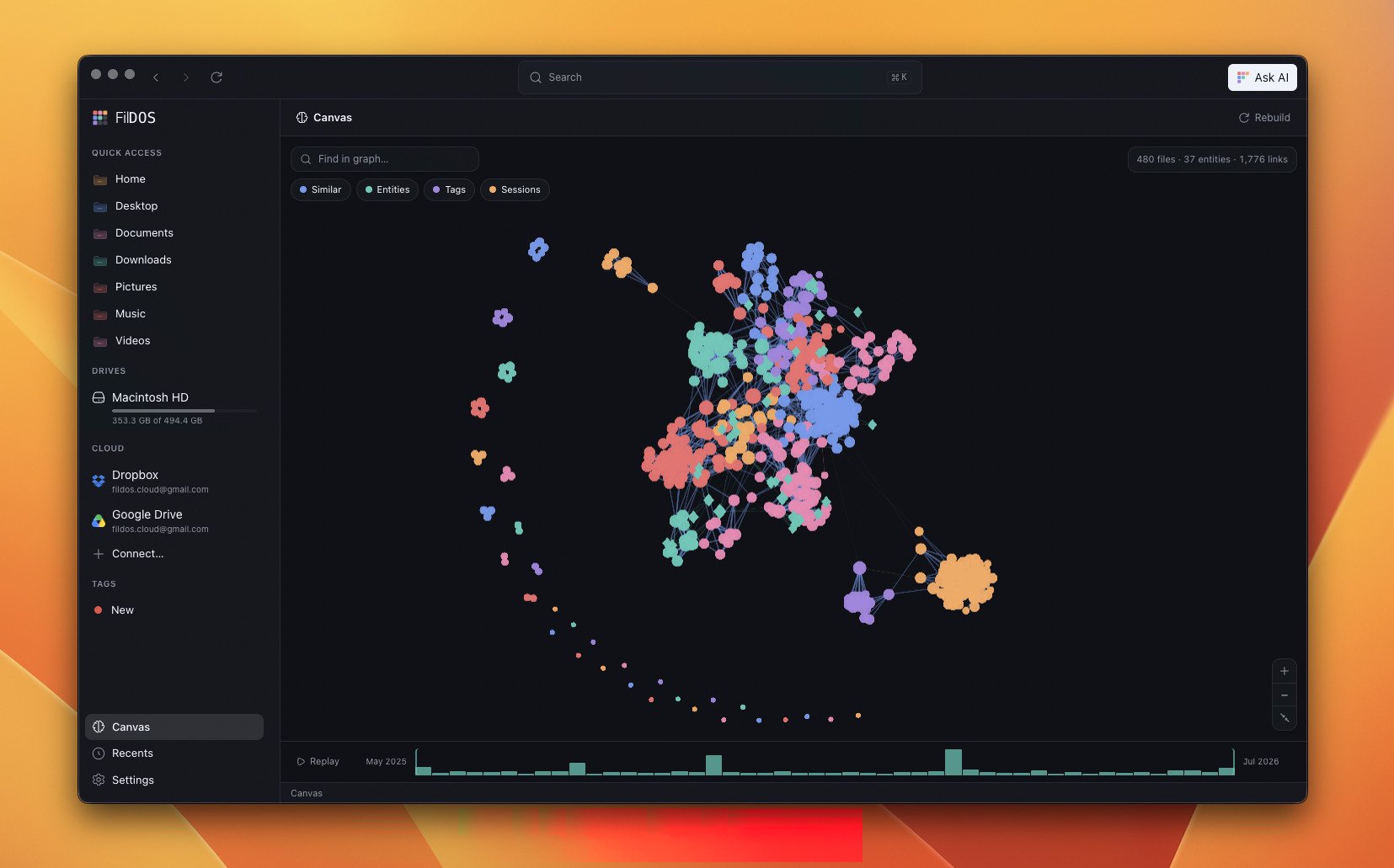
> A GPU-rendered knowledge graph of your files, built from embedding similarity, extracted entities, and temporal sessions.
**Canvas** is a visual answer to "how does this connect to the rest of my work?"
It renders your files as a constellation on the GPU, laid out by the
relationships FilDOS already knows about.
 ## Three kinds of connection
Canvas fuses three signals into one graph. Toggle each with the chips at the top:
* **Similar** — files whose embeddings are close in meaning (per-file centroids
of their stored chunk vectors, compared with a partitioned k-nearest-neighbour
search).
* **Entities** — people, places, and organizations pulled from your documents by
an on-device NER model, shown as mint diamonds.
* **Tags** — your colour-coded tags become star nodes.
* **Sessions** — files you worked on around the same time, derived from
modification times.
Nodes are grouped into communities (Louvain clustering) and painted with the
brand's six accent colours, so related clusters read at a glance.
## Exploring the graph
* **Find in graph** — search to spotlight matching nodes.
* **Detail panel** — click a node to see *why* it's connected to its neighbours.
* **Time scrubber** — an mtime histogram at the bottom lets you replay how your
files accumulated over time.
## Built lazily, kept fresh
Canvas does no work until you open it. After that it's **incremental**: only
changed files are recomputed, and the whole build runs under the same
duty-cycle as the indexer, so it never fights your foreground work.
The NER model that powers **Entities** is **opt-in** and never
auto-downloaded — Canvas works without it. Enable it and rebuild from
**Settings → AI & Search → Canvas**.
## Three kinds of connection
Canvas fuses three signals into one graph. Toggle each with the chips at the top:
* **Similar** — files whose embeddings are close in meaning (per-file centroids
of their stored chunk vectors, compared with a partitioned k-nearest-neighbour
search).
* **Entities** — people, places, and organizations pulled from your documents by
an on-device NER model, shown as mint diamonds.
* **Tags** — your colour-coded tags become star nodes.
* **Sessions** — files you worked on around the same time, derived from
modification times.
Nodes are grouped into communities (Louvain clustering) and painted with the
brand's six accent colours, so related clusters read at a glance.
## Exploring the graph
* **Find in graph** — search to spotlight matching nodes.
* **Detail panel** — click a node to see *why* it's connected to its neighbours.
* **Time scrubber** — an mtime histogram at the bottom lets you replay how your
files accumulated over time.
## Built lazily, kept fresh
Canvas does no work until you open it. After that it's **incremental**: only
changed files are recomputed, and the whole build runs under the same
duty-cycle as the indexer, so it never fights your foreground work.
The NER model that powers **Entities** is **opt-in** and never
auto-downloaded — Canvas works without it. Enable it and rebuild from
**Settings → AI & Search → Canvas**.